AiChat
The Ai Chat page provides a UI, with rich features for interacting with LLM’s on your local machine.
Please remember to enable CORS on your local model runner, ollama or llama.cpp.
This works only on chromium based browsers, enable local App access in site settings, on google Chrome. (Read below…)
The image generation, RAG will be available on the local edition of this tool, shortly. This hosted version of the chat module supports Chat completions and Embedding generation.
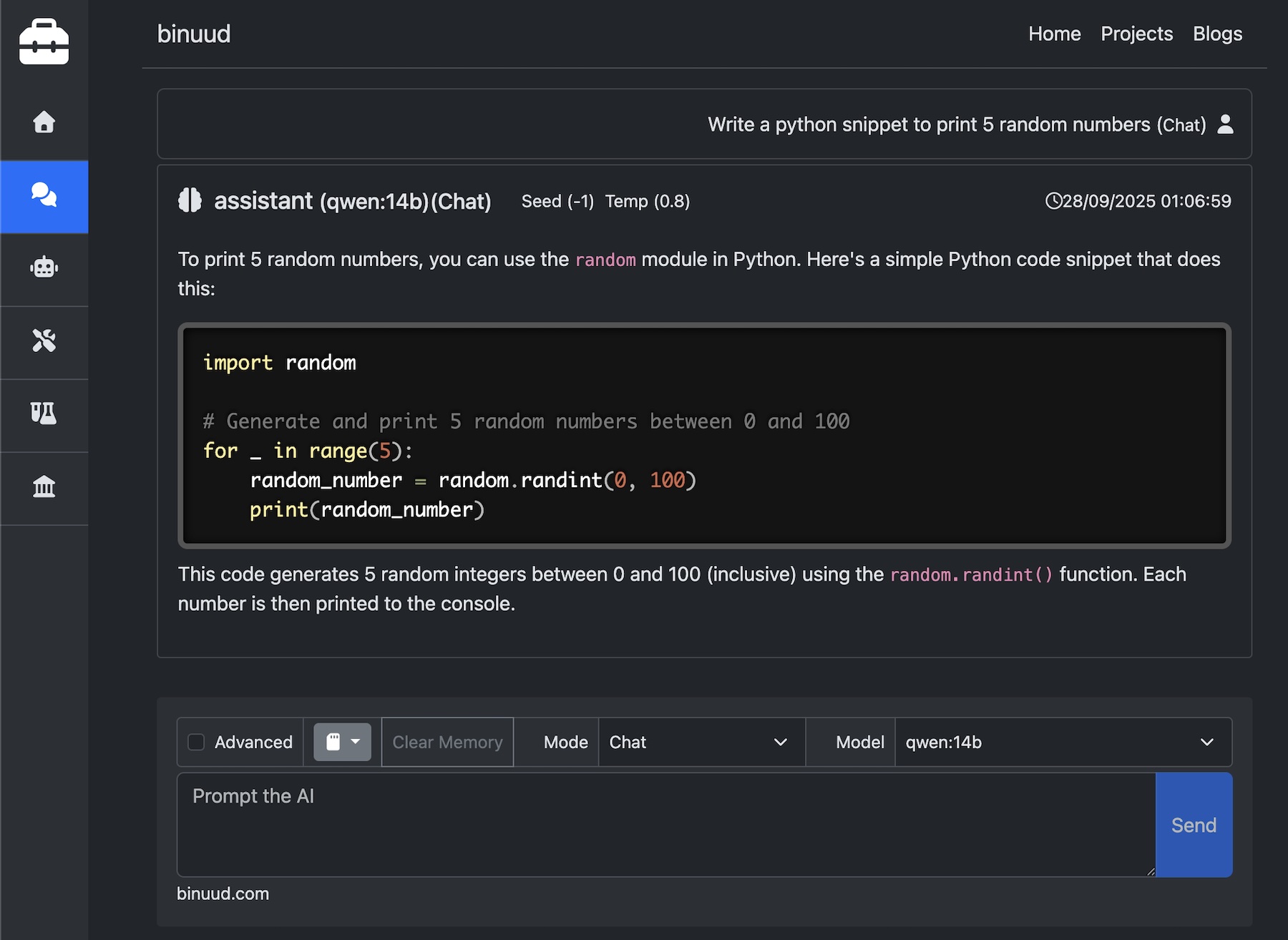
Since the requests are Cross Origin Requests, that is, the browser is trying to connect to LLM in your local host, CORS has to be enabled on the LLM provider.
llama.cpp
When starting llama server, specify the port as 11434
llama-server -hf ggml-org/Qwen3.5-0.8B-GGUF -ngl 99 --jinja --port 11434
Ollama
For Ollama, use the below commands to allow cors request from binuud.com. On mac and linux, use the below commands.
export OLLAMA_ORIGINS="https://binuud.com"
ollama serve
For windows
setx OLLAMA_ORIGINS "https://binuud.com"
ollama serve
Docker Model Runner
Open Docker Desktop.
Navigate to Settings > AI >
Click on “Enable Docker Model Runner” Checkbox.
Change the port value to “11434”
Select “CORS Allowed Origins” Dropdown to “https://binuud.com”
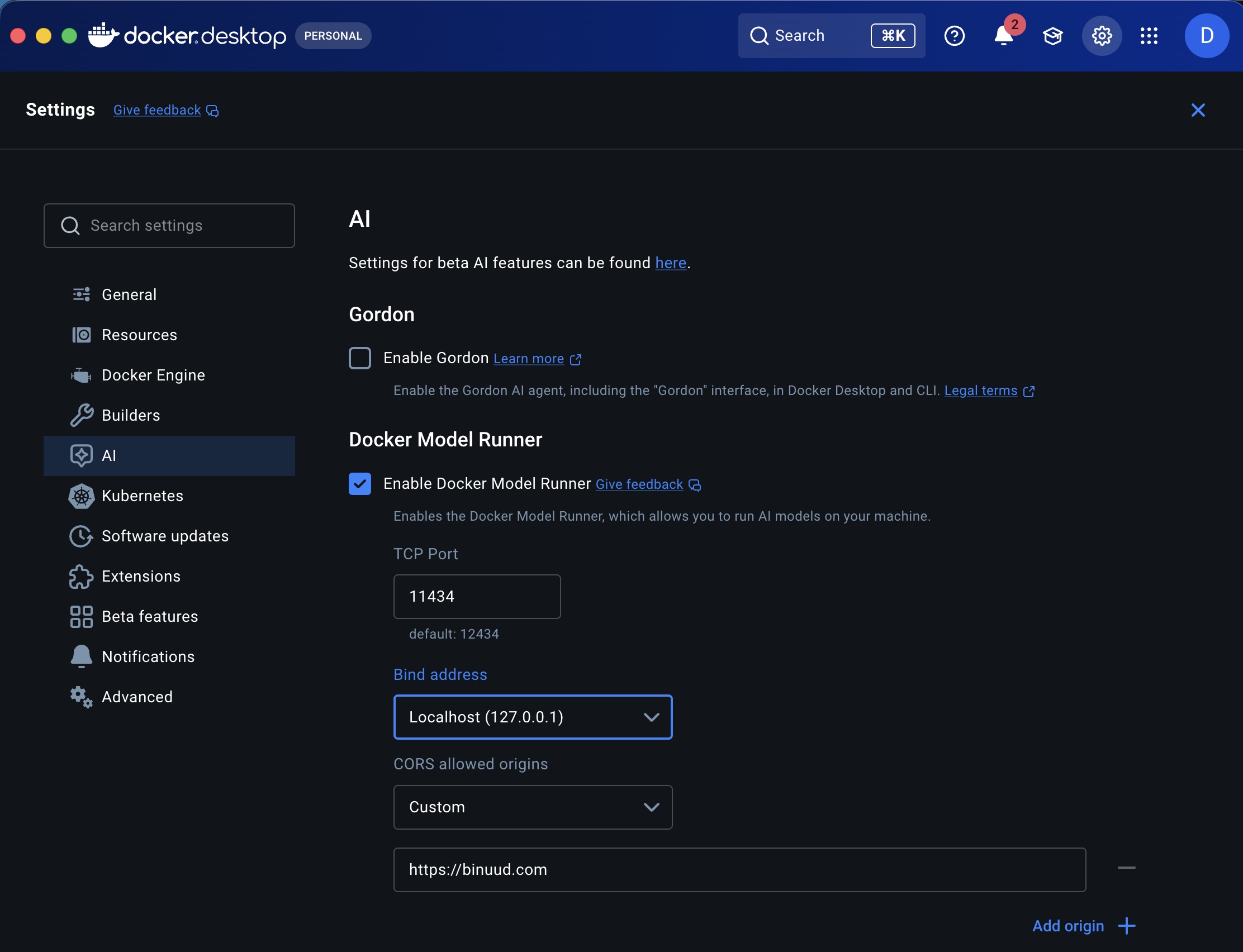
Use latest docker desktop to avoid below issue.
CORS Failing on Docker Model Runner
Browser Support
To utilize this feature, your local machine must host an LLM that’s compatible with the OpenAI API.
Please note that Safari may prevent access to http resources from https domains without a
valid SSL certificate for your local LLM server.
For using this tool, you might want to try Google Chrome or Firefox instead.
Google Chrome
Go to site settings. Enable Apps on Device
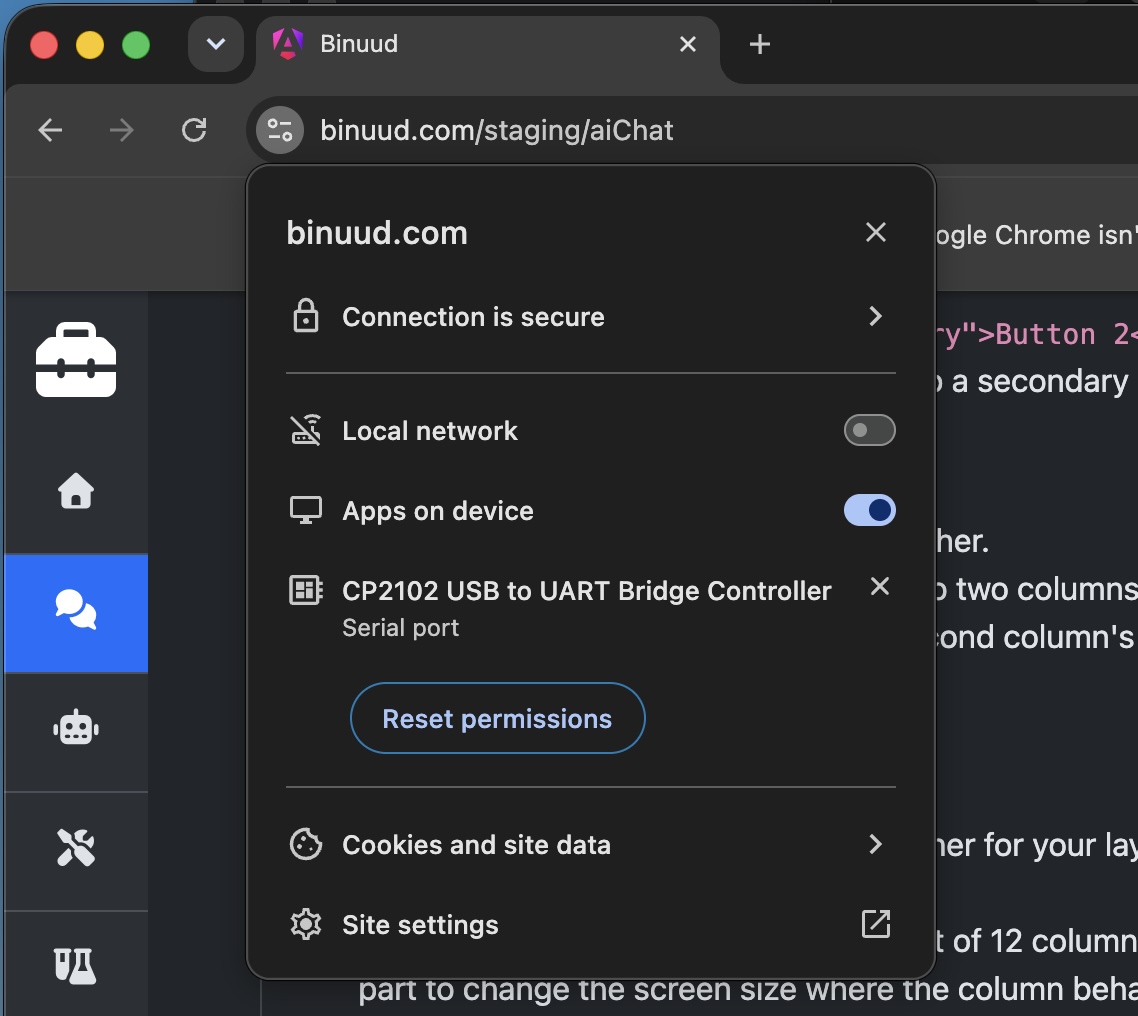
Setting up Chrome and Docker Model Runner
Follow instructions as in the below video, to configure model runner on docker. And change settings on google chrome to access the ai modal running on your local machine.
Quick demo on using the AI-Chat interface for deterministic output.
Opensource Availability
Working on the packaging. Coming Soon…